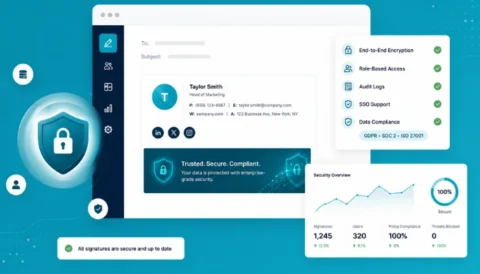
ISO
ISO  HIPAA
HIPAA  GDPR
GDPR 
Key takeaways:
- Manual Outlook signature updates cause inconsistent branding, outdated info, and compliance risks across teams and devices.
- Microsoft 365’s native signature tool lacks central control, campaign tracking, and enterprise scalability.
- Modern email signature management should be centralized, automated, and analytics-driven, powered by Azure AD sync.
- IT teams save time with automated updates; marketing gains a measurable channel for engagement; compliance gets disclaimers, security and data protection.
- Best practices include Azure AD integration, dynamic templates, automation, analytics tracking, and periodic reviews.
- Rocketseed enables cross-device consistency, dynamic banners, CRM integration, and real-time campaign control.
- Rocketseed turns every Microsoft 365 email into a consistent, compliant, and measurable brand experience.
Email remains the most prevalent customer touchpoint today. Every company wants its emails to look sharp and consistent.
Yet, email signatures still sometimes cause frustration.
This is primarily due to inconsistent branding across users since many employees manually update their signatures. This consequently results in varied formats, outdated logos, and conflicting contact details.
Such inconsistency is especially problematic across departments and remote teams working from different devices. As such, it’s exceedingly difficult to maintain compliance with brand guidelines and legal disclaimers.
To exacerbate issues, Microsoft Outlook’s limited native capabilities sometimes complicate consistent signature deployment. This is because it doesn’t easily support scalable, dynamic, and uniform changes across an organization. This limitation consequently impacts organizations’ communication professionalism, brand image, and internal efficiency.
So, how does one really go about managing Microsoft 365 email signatures at scale? Let’s unpack what’s broken, what the future should look like, and how Rocketseed can make it happen.
Why Microsoft 365 native signature tool falls short?
At first glance, Microsoft 365’s native email signature feature seems fine. But under the hood lie several limitations in terms of enterprise-wide control. For instance:
- No central control: Each user manages their own signature control across desktop, mobile, and web.
- Inconsistent design: There is no consistency in design, branding, or legal disclaimers, which leads to uneven fonts, colors, and formatting.
- No marketing value. Outlook’s native tool can’t add banners, clickable calls-to-action, or track engagement with granularity.
Dealing with these daily inconsistencies within enterprises can be a frustrating brand risk.
Overall, every email your team sends represents your brand. Whether it’s a short reply or a client update, it’s a reflection of who you are. A sloppy or mismatched signature can look bad and suggests disorganization.
People may not say it out loud, but they notice. Centralized management changes that. It quietly enforces brand consistency.
What are the key challenges with manual signature management in Microsoft 365?
Microsoft 365’s manual updates might be workable for small businesses.
However, they fall apart fast once your team grows. Let’s illustrate how, shall we?
- Heavy IT overhead: Updating templates or troubleshooting Outlook sync errors eats valuable time. IT teams must spend substantial time troubleshooting inconsistencies and assisting employees with signature setup across devices.
- Frequent human errors: Employees often mistype phone numbers, use old logos, or forget disclaimers. Thereby, harming communication accuracy.
- Compliance risks: Missing legal text can expose your company to compliance risk. Some sectors require specific footers, and inconsistent use could cause fines or legal trouble.
- No performance tracking: You cannot measure engagement with banners or CTAs, so marketing loses valuable data.
No matter how organized your teams are, manual email signature management doesn’t scale. At some point, it breaks under its own weight.
What should email signature management in 2026 look like?
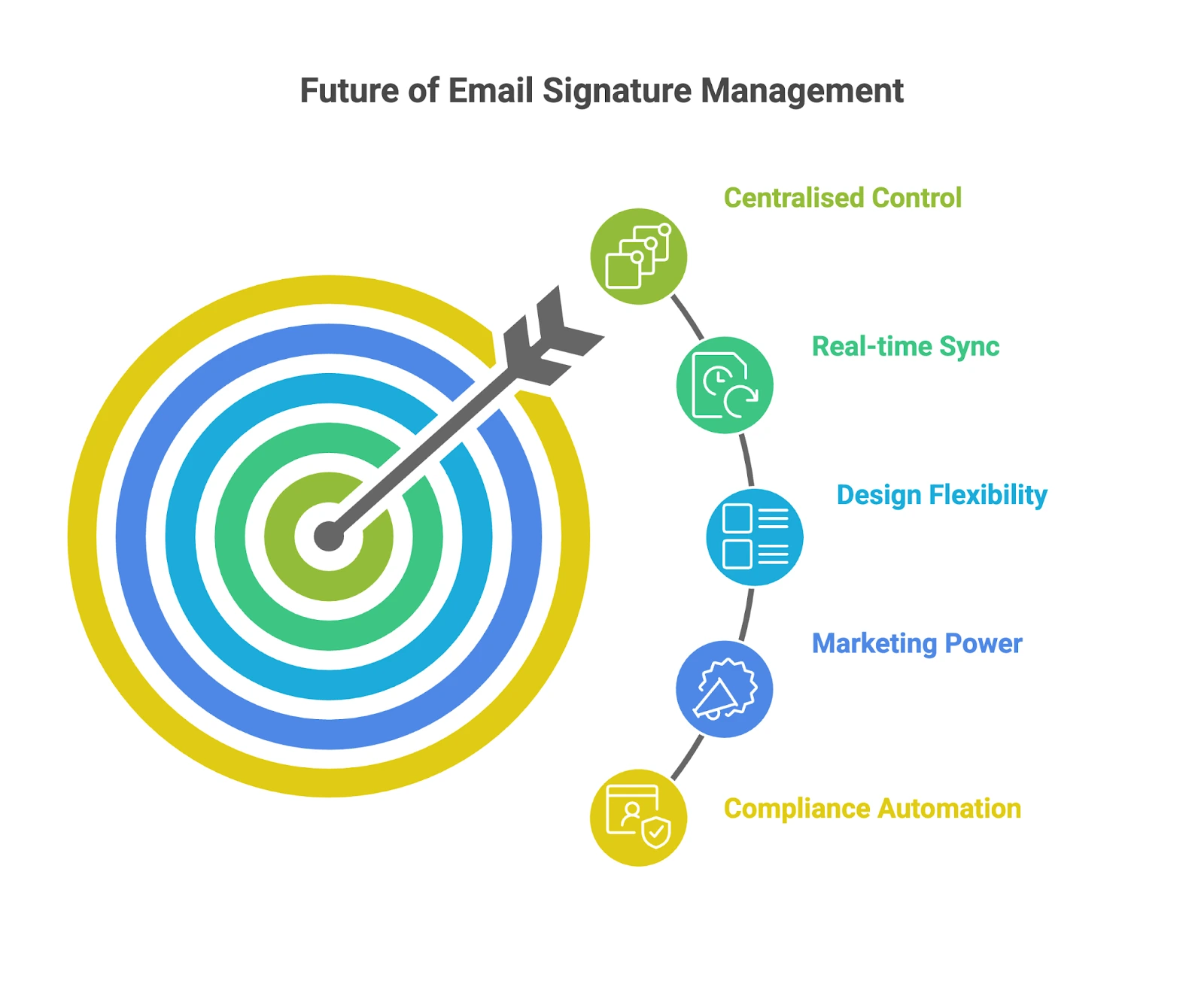
Modern email signature management should be simple, smart, and automatic. In 2026, companies expect:
- Centralized control. IT, Marketing, and HR can manage everything from one dashboard.
- Real-time sync: Native connection to Azure Active Directory, so when HR updates someone’s title, it reflects instantly.
- Design flexibility. Templates match brand guidelines exactly (fonts, colors, layout) without user edits.
- Marketing power. Signatures double as mini billboards with banners or CTAs that can change by department, season, or campaign.
- Compliance automation. Built-in legal footers apply to every message automatically.
- Analytics and insights. Track which banners or messages get clicks and adjust campaigns accordingly.
Modern email signature management is often much cleaner and smarter. The right email management setup turns every email from a missed opportunity into a brand moment.
How does Rocketseed help with effortless Microsoft 365 signature management?
Outlook’s native tools and manual updates belong to another era. They cause errors, waste time, and hurt your brand more than you realize.
Rocketseed’s Office 365 signature manager is expressly designed to simplify and automate email signature management within Microsoft 365 at scale. Here are its key features that stand out:
- Azure AD integration: Rocketseed syncs directly with your Azure Active Directory. This means that, for instance, when someone changes departments, their signature updates automatically.
- Cross-device consistency: Whether your team emails from a laptop, browser, or mobile app, every message carries the same signature.
- Template control: Marketing teams can design clean, HTML-based templates that display perfectly on any major email client. No stretched images or font issues; just consistent, on-brand visuals.
- Campaign-ready banners: Rocketseed offers interactive social icons and email signature banners & CTAs for internal and external campaigns.
- Analytics & CRM integration: Rocketseed integrates with Google Analytics and CRM tools to show which campaigns are driving engagement. In essence, you can finally see the ROI of your everyday email traffic.
- Mobile optimization: Every signature scales automatically for mobile devices, so your branding stays crisp on small screens.
- 24/7 support: Get 24-hour customer emergency support from the Rocketseed technical support team.
- Advanced reporting and analytics: Rocketseed delivers advanced reporting and analytics to track campaign performance and user engagement. Thereby, allowing data-driven decisions.
How Does it Help IT, Marketing, and Compliance Teams?
With Rocketseed, every team within a company gets what they need, without stepping on each other’s toes. Here’s an illustration of how it helps different enterprise teams and departments:
IT teams
- Rocketseed cuts IT workload by automating updates through Azure AD. Once integrated, there’s no need to handle signature requests or fix Outlook sync issues.
- Rocketseed appreciably reduces support tickets since admins can manage everything from one dashboard.
- Rocketseed improves security with TLS-encrypted mailflow end to end, and ISO27001 compliant infrastructure.
Overall, IT teams finally get breathing room to focus on bigger projects.
Marketing teams
- Brand consistency becomes effortless. Marketing can update campaigns or banners in minutes and push them across the whole company instantly.
- Easier campaign deployment.
- Click tracking helps prove marketing’s value.
- Everyday email turns from a utility into a marketing channel.
Compliance Teams
- Disclaimers appear automatically and are controlled centrally.
- Rocketseed’s audit trail shows exactly which version of a signature was active and when. This reduces compliance risks whilst improving accountability; if regulators ever ask.
Best practices for seamless Microsoft 365 signature management
Effective email signature management dictates a coordinated approach to ensure consistency, compliance, and engagement.
Here are the key best practices to get the most from your setup.
- Collaborate across teams: Involve IT, Marketing, HR, and Compliance early in the process to align on objectives, branding guidelines, and legal requirements. This cross-functional collaboration prevents information silos.
- Sync with Azure AD: Integrate with Azure Active Directory to automatically pull and update user information. This live syncing prevents manual errors and keeps employee information accurate.
- Use dynamic templates with targeting rules: Design flexible email signature templates that adapt content based on departments, job roles, or campaigns. Targeting rules help tailor messaging to the right audience whilst maintaining brand consistency.
- Monitor performance and engagement: Utilize analytics to track how recipients interact with signature elements like banners and CTAs. This data informs marketing strategies and helps optimize campaigns.
- Train staff to maximize impact: Educate employees on the importance of consistent signatures and encourage best practices for professional email communication.
- Establish clear governance policies: Define roles, responsibilities, and approval workflows to manage signature changes efficiently. This also helps to maintain control over branding and compliance.
- Regularly review and update signatures: Check templates and disclaimers every few months. This ensures relevance and compliance at all times.
- Automate everything possible: Automation cuts errors and saves hours. Use it for updates, banners, and compliance inserts.
- Keep templates simple and mobile-friendly: Avoid large images or complex layouts that break on mobile. A clean, readable design looks more professional and loads faster.
Conclusion: Make every Microsoft 365 email count
Natively managing email signatures in Microsoft 365 sounds simple until you actually try it. Every department wants a slightly different look. Employees update their titles or phone numbers. Marketing adds a new banner. Someone forgets the legal disclaimer. Before long, half the company is sending out mismatched signatures, and it reflects poorly on your brand.
This problem gets worse in large or remote teams.
People use Outlook on Windows, Macs, mobile devices, or Outlook Web Access. Each setup behaves differently, and changes rarely sync automatically. IT teams spend hours troubleshooting while marketing teams struggle to maintain a consistent look across every message.
Rocketseed-powered email signature management addresses all these challenges. This centralized system brings automation, brand control, and measurable marketing value to Microsoft 365 email signatures at scale, without manual work or confusion.
With Rocketseed, every message counts; clean, consistent, and on-brand. So, are you ready to modernize your email communications?
Try Rocketseed to enhance professionalism, boost marketing impact, and reduce compliance risks, making every Microsoft 365 email a strategic asset.
Read related blog posts

Email Signature Consistency Test: What 15 emails reveal about your brand governance

Which email signature software has the best banner marketing features?