ISO
ISO  HIPAA
HIPAA  GDPR
GDPR 
Google Workspace email signature management at scale
One dashboard. Every employee. Every email. IT stays in control. Marketing gets a new channel.
- Deploy consistent, on-brand signatures across every Google Workspace user in one action.
- Run targeted email banner campaigns and track click-through rates in real time.
- Fully compliant: GDPR, HIPAA, and ISO 27001 certified infrastructure.
Trusted by 1,000+ companies worldwide for Google Workspace email signature management






Everything IT needs. Everything marketing wants.
Included in every plan:
Drag-and-drop signature templates
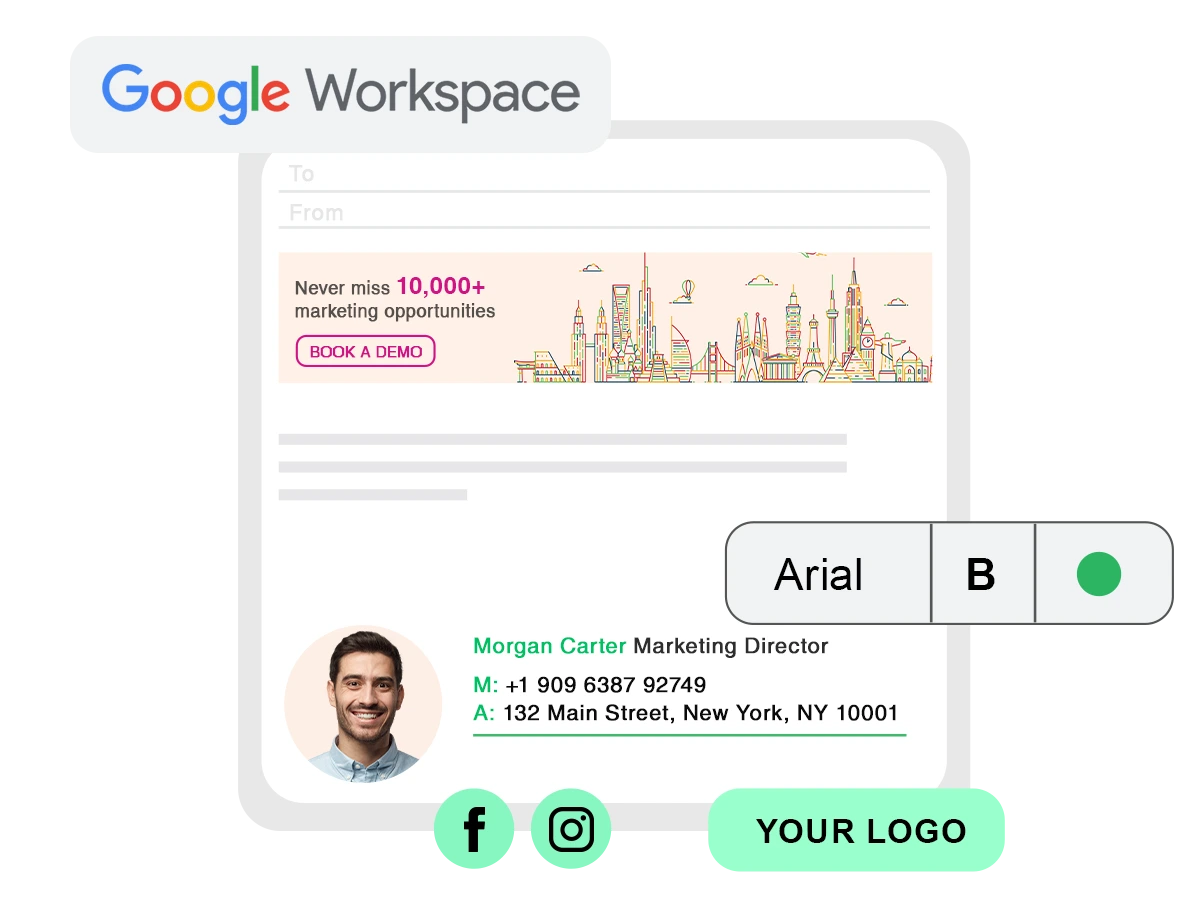
Choose from templates or start from scratch. Add your logo, brand colours, social icons, and contact fields, or let our design team handle it. Every signature renders correctly on desktop and mobile.
Centralized admin dashboard
Manage email signatures for every Google Workspace user from a single control panel. Apply changes company-wide in one click. No need for employees to touch or amend their own signature settings.
Google Directory Sync
Rocketseed connects to your Google Directory to pull employee names, titles, phone numbers, and departments automatically. When someone’s details change, their signature updates without anyone lifting a finger.
Compliance & legal disclaimers
Add personalized, timestamped disclaimers to every outgoing email. Rocketseed supports GDPR, HIPAA, and industry-specific regulatory requirements, backed by ISO 27001 certified infrastructure.
Email Banner Marketing & Analytics
Turn every email into a marketing channel. Add clickable banners, run A/B tests, schedule campaigns by department or audience, and track click-through rates in real time with built-in reporting.
CRM & Google Analytics Integration
Connect Rocketseed to Salesforce, HubSpot, or Google Analytics to attribute website visits and conversions back to your email signatures. See which banners drive actual leads and optimise future campaigns.
What our customers say
Your IT team will approve it. Your security team won’t block it.
Email routing involves employee data and your mail flow. Here’s how Rocketseed keeps both secure.

Firewall-protected infrastructure
ISO 27001 certified data centres, TLS mail flow encryption, and firewall-protected servers. Independently verified: Security Scorecard 92/100 (‘A’ rating).

100% tamper-proof signatures:
Applied server-side by Rocketseed. Employees can’t modify them. Branded consistency is guaranteed.

GDPR, HIPAA, and industry compliance:
The platform is regularly penetration tested and hosted on SOC 2 compliant infrastructure
Full technical details: Google Workspace compatibility guide
How Rocketseed works with Google Workspace
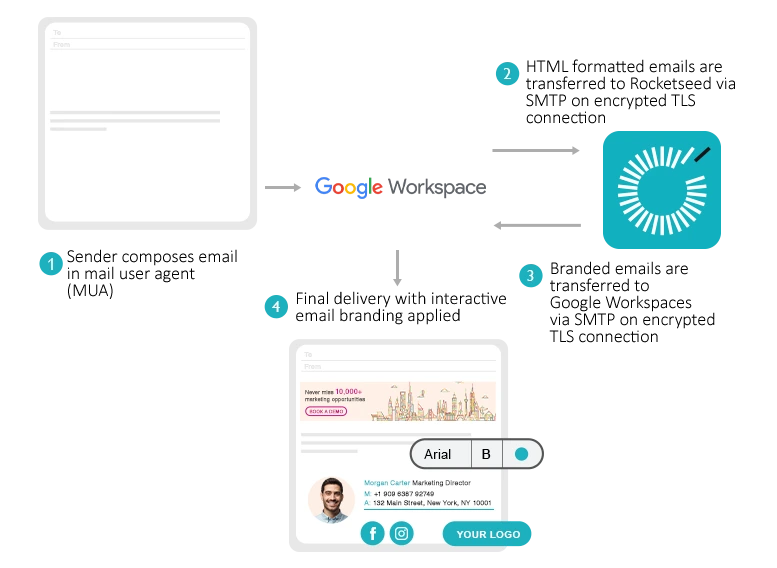
Rocketseed connects to Google Workspace via API. No browser extensions, no add-ins, nothing for employees to install.
1. Connect. Rocketseed links to your Google Workspace account and syncs with Google Directory to pull employee data automatically.
2. Design and deploy. Build signatures using the drag-and-drop editor. Apply them across your entire organisation in a single action.
3. Done. Every outgoing email gets the right branded signature added server-side, before delivery. No end-user involvement required.
Cloud-hosted by default. On-premises and hybrid deployment available for enterprise and high-security environments.
Simple pricing. Everything included.
From ~$1.25 / user / month
Annual billing · Full feature set on every plan
Rocketseed is priced per user, per month, starting from around $1/user/month on annual billing. Every plan includes the full feature set: centralised signature management, banner marketing, analytics, CRM integrations, and 24/7 human support. No tiered feature lockouts.
- Annual or monthly billing (monthly available for 50+ users)
- One-time setup fee covers technical integration, custom signature design, and team training
- Custom pricing for 200+
- 14-day free trial for teams of 50+
- Non-profit, education, and government discounts available

The simplest, secure, stress-free solution to manage email signatures
FAQ's
Rocketseed’s Google Workspace email signature management lets IT admins create, deploy, and control branded email signatures for every user, centrally, from one dashboard. It connects directly to Google Workspace via API, syncs with Google Directory for automatic data updates, and applies signatures server-side so employees don’t need to do anything. Marketing teams can run targeted email banner campaigns and track click-through rates from the same platform.
Rocketseed is built for IT admins and marketing teams at organizations using Google Workspace, typically with 40 or more employees. IT admins use it to enforce brand standards, manage compliance, and eliminate rogue signatures. Marketing teams use it to run targeted email banner campaigns across the organization’s entire email traffic.
Rocketseed connects to Google Workspace via API. No browser extensions, no add-ins, and nothing for employees to install. Emails are routed through the Rocketseed cloud, branded server-side, and delivered. Full technical details are in the Google Workspace compatibility guide.
Rocketseed uses server-side deployment. Signatures are applied by Rocketseed’s infrastructure before email delivery, not by a browser extension or add-in running on each device. Employees don’t need to install anything, signatures appear consistently across every device and email client, and IT keeps complete central control regardless of what device employees use.
Rocketseed applies signatures server-side, so they appear consistently across every device and email client. It doesn’t matter whether your team is using Gmail on desktop, mobile, or in a browser. Signatures are added before delivery, with no dependency on the recipient’s email client and nothing for employees to install.
Yes. Rocketseed pulls employee names, job titles, phone numbers, and departments directly from Google Directory. If someone gets a new title or a new phone number, their signature updates automatically. New starters are picked up without any manual intervention.
Yes. Rocketseed lets you create different signature sets for different groups: by department, job title, seniority, location, or any combination. A sales team can carry different signatures than your legal team. Executives, contractors, and regional offices can each have their own. All of it is managed and updated from one admin dashboard.
Yes. Rocketseed can be configured to apply signatures to replies and forwards, not just new emails. You can show a full branded signature on outbound emails and a shorter contact-only version on replies. The configuration is managed centrally by your admin, with no input required from employees.
Rocketseed is priced per user, per month, starting from around $1/user/month on annual billing. Every plan includes the full feature set: centralized signature management, email banner marketing, analytics, CRM integrations, and 24/7 human support. There are no tiered feature lockouts. A 14-day free trial is available for teams of 50 or more.
Setup is handled by Rocketseed’s technical team and covers the API connection, Google Directory sync configuration, signature design, and admin training. Employees don’t need to do anything. Signatures go live automatically once the integration is complete.
Yes. Rocketseed operates ISO 27001 certified data centres with TLS mail flow encryption and firewall-protected servers. The platform supports GDPR and HIPAA compliance requirements, is hosted on SOC 2 compliant infrastructure, and is regularly penetration tested. Signatures are applied server-side. Rocketseed processes the routing but does not store or access email content.
Rocketseed lets you add dynamic, timestamped legal disclaimers to every outgoing email, automatically, across your entire organisation. The platform supports GDPR, HIPAA, and industry-specific regulatory requirements, backed by ISO 27001 certified infrastructure.
Because Rocketseed connects via API rather than relying on internal app integrations, Google Workspace updates don’t affect the signature process. The API connection is maintained and updated by Rocketseed. If anything requires attention after a platform update, the support team handles it directly.
Yes. Rocketseed’s partner program is open to partners, MSPs, and agencies. Partners earn 25% commission on every deal and receive dedicated support at each stage of the sales process.
Yes. For organizations that prefer a hands-off approach, Rocketseed’s team handles signature design, deployment, updates, and ongoing management. Contact us to discuss what a managed service arrangement would look like for your team.
Rocketseed combines signature management and email banner marketing in one platform. No separate tools, no additional tiers. Everything is included from $1/user/month: Google Directory sync, server-side deployment, built-in analytics, direct CRM integrations, and 24/7 human support. Unlike most competitors, there’s no shared ticketing queue. Rocketseed also offers on-premises deployment for organisations that need to keep data processing out of the cloud.
Most tools apply signatures server-side after you hit send, so employees never see the final result as they write. Rocketseed’s Signature on Compose shows the branded signature directly in the Gmail compose window. When you open a new email, Rocketseed pulls your current signature design and personal details from Google Directory and renders them automatically. What you see is exactly what recipients get.