ISO   HIPAA   GDPR
  • About
  • Pricing
  • Blog
  • Services
  • Industry Case Studies
  • Security
  • Contact
Rocketseed
✕
  • Book a demo
  • Our Products
    • Product Overview
    • Office 365 Signature Management
    • G Suite Signature Management
    • Exchange Email Signature Manager
    • How It Works
    • Why Rocketseed?
  • Features
    • Email Signature Generator
    • Email Signature Management
    • Email Signature Marketing
    • Analytics & Reporting
    • Integrations & CRM
    • Security
    • Support & Service
  • Solutions
    • Marketing
    • IT
    • Sales
    • HR & Internal Comms
    • Customer Service
    • Legal Compliance
    • Industry Case Studies
  • Pricing
  • Resources
    • Blog
    • Videos
    • Industry Guides
    • Knowledge Base
    • Best Signature Design
    • Email Banner Examples
    • Best Email Signature Sizes
    • Email Signature Software Checklist
  • Partners
    • Partner With Us
    • Refer A Business
    • Partner Case Studies
    • MSP Partner Checklist
    • Partner Compatibility Quiz
  • Contact
  • Book a demo
Home>Email Signature Compatibility>GSuite>Individuals

GSuite – Individual Senders

How to route specific GSuite senders via a Rocketseed server

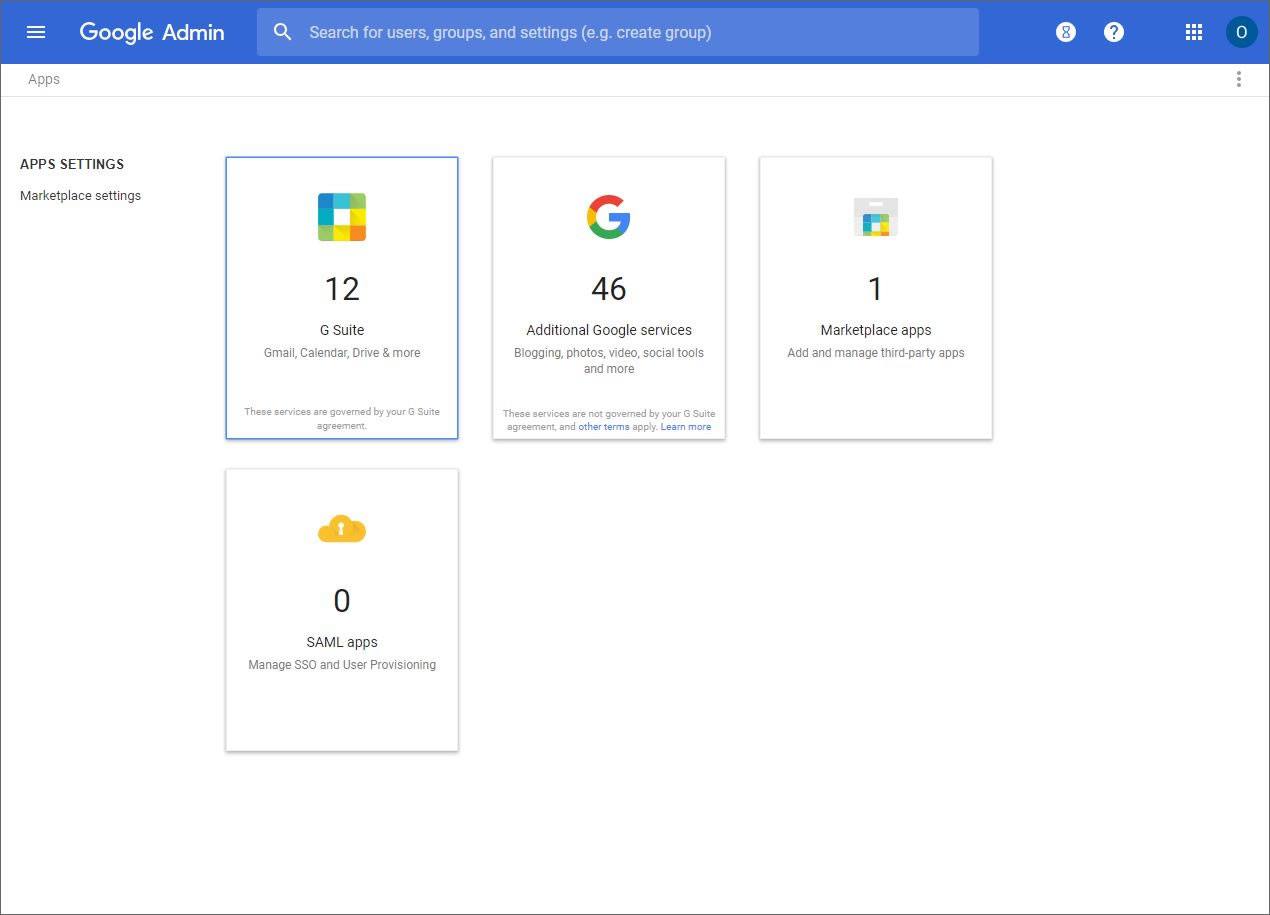
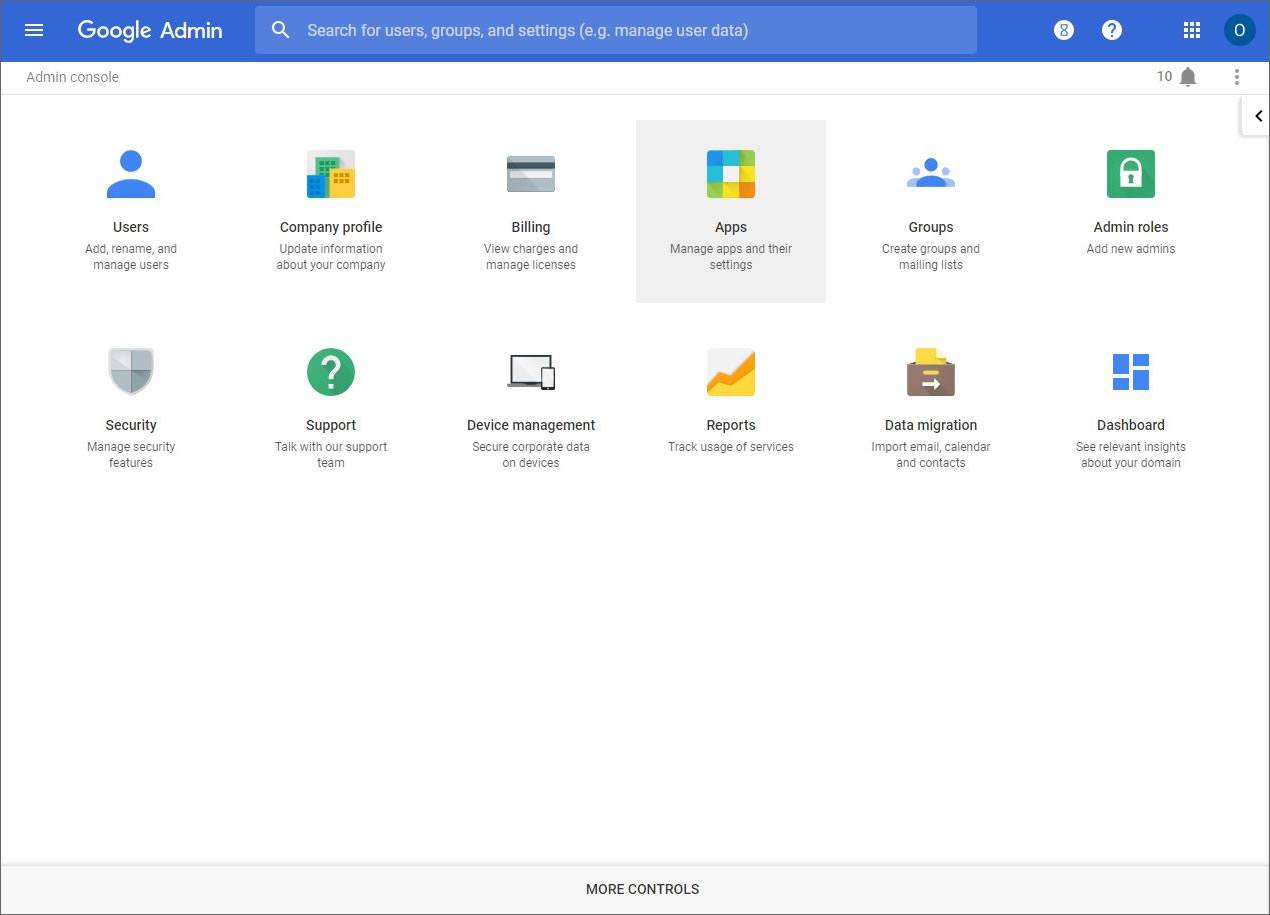
1. Go to G Suite (Google Apps) gsuite.google.com or apps.google.com to log in to your admin account.  Once logged in, click on Apps:
1 done


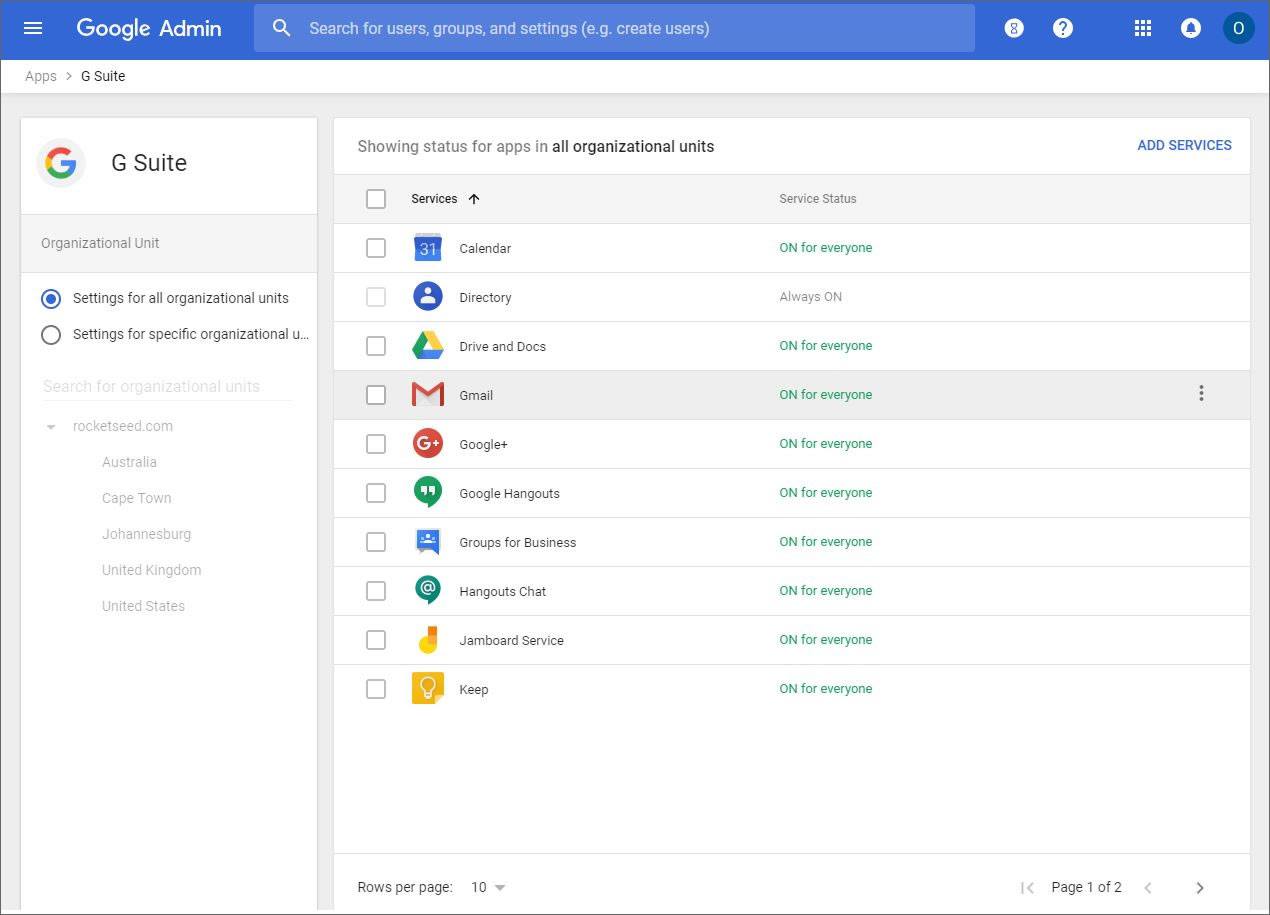
2. Click on GSuite:
2 done


3. Click on Gmail:

3 done


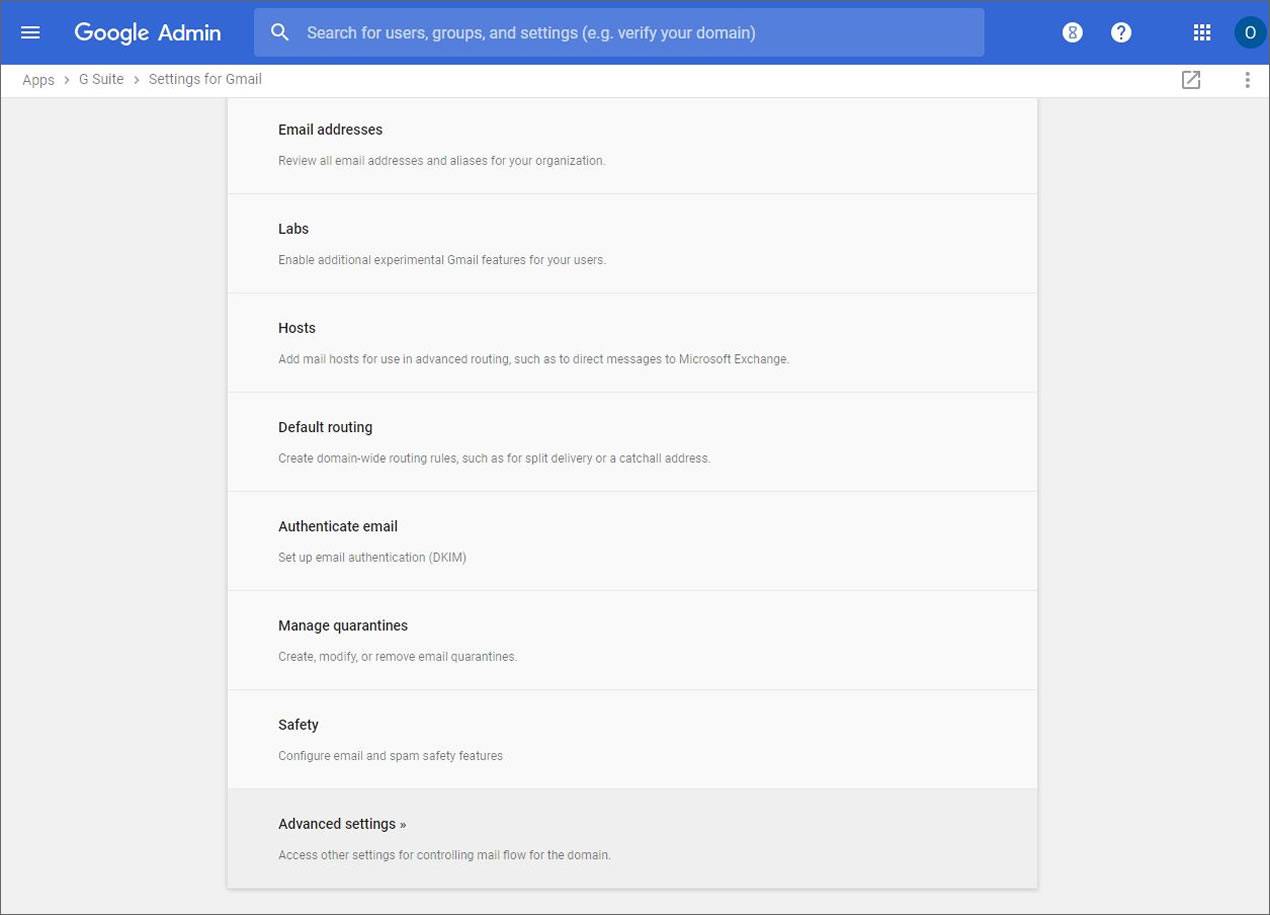
4. Scroll to the bottom and click on Advanced Settings:
4 done


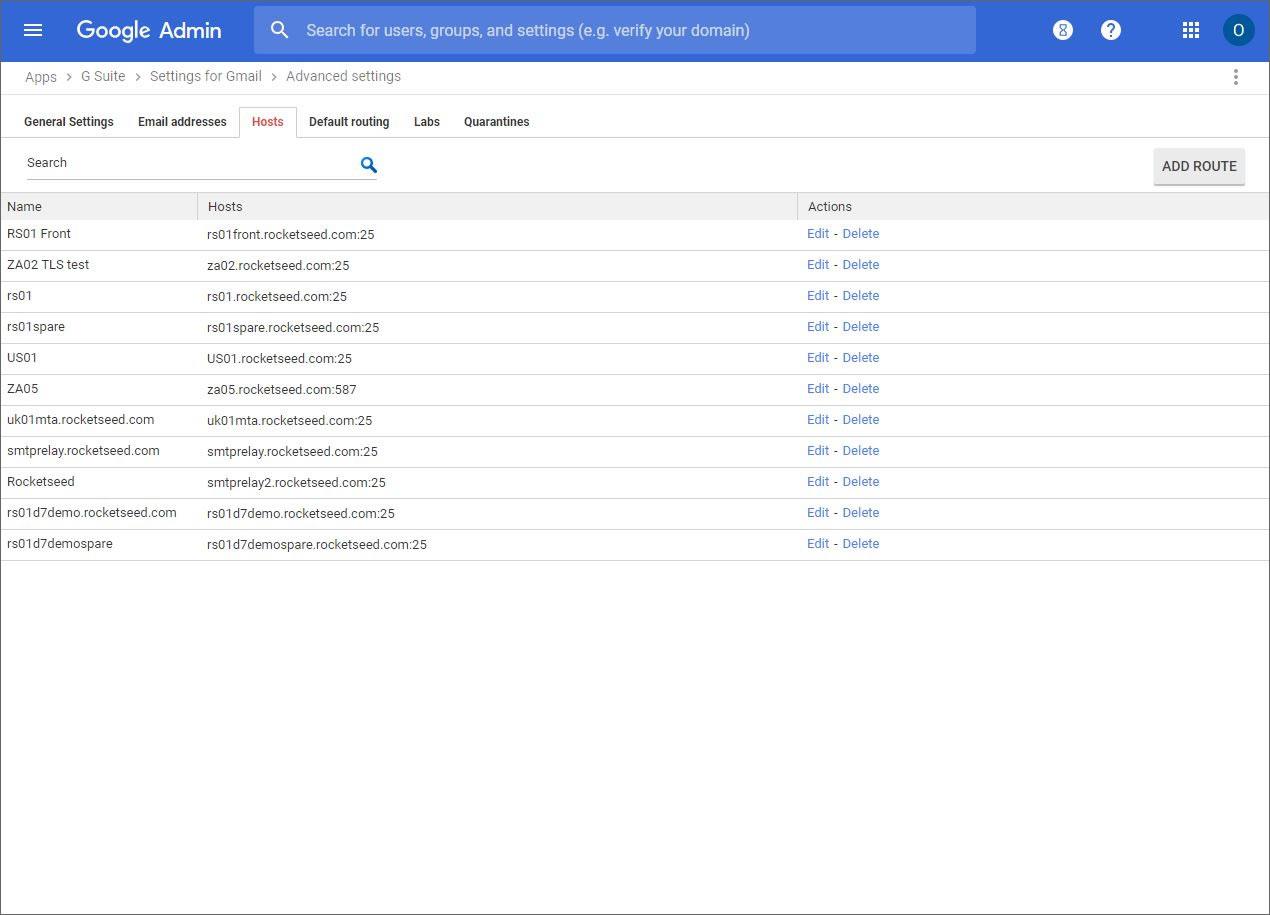
5. Click on the Hosts tab:

5 done


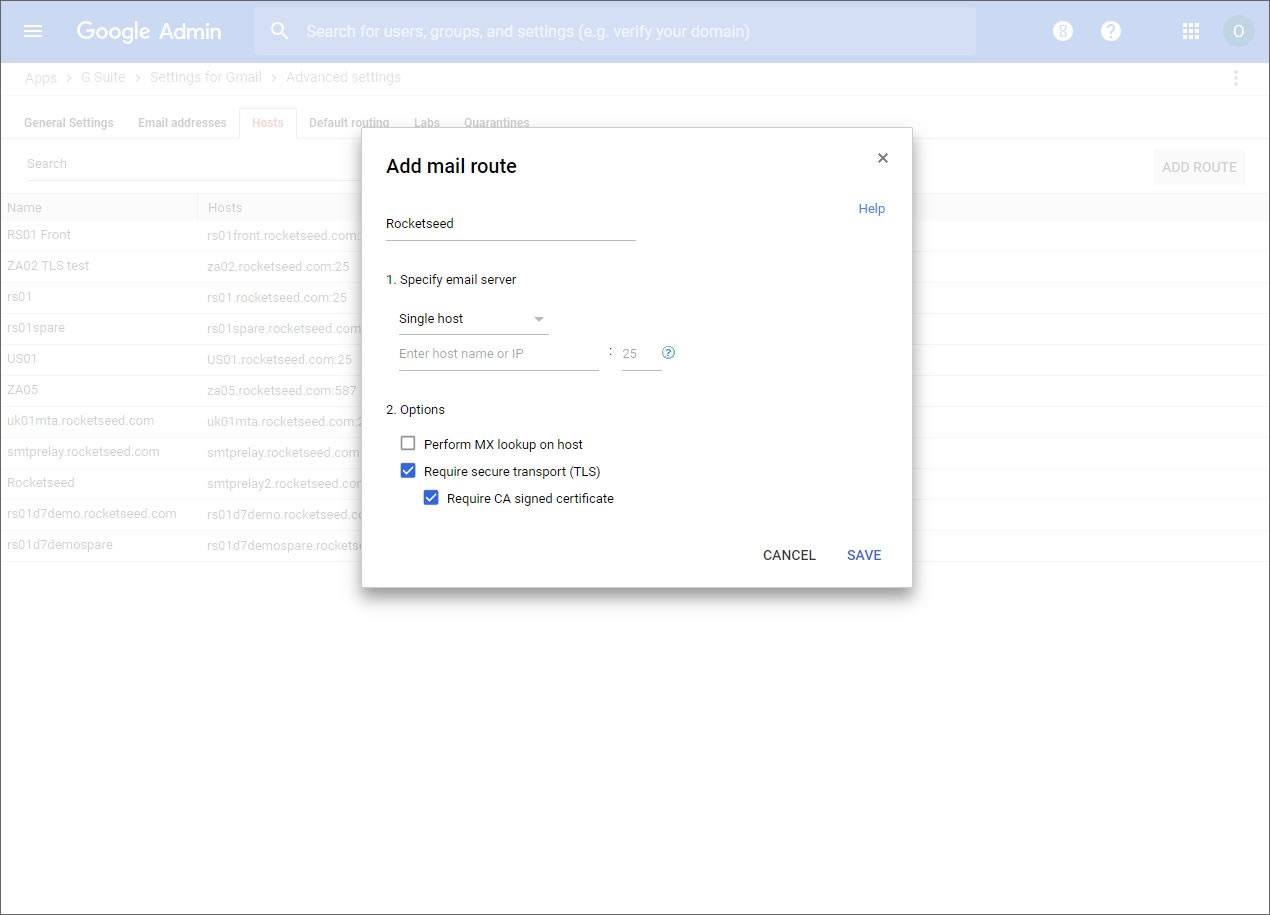
6.  Click on the add route link and enter the details provided by Rocketseed and click on save.
6 done


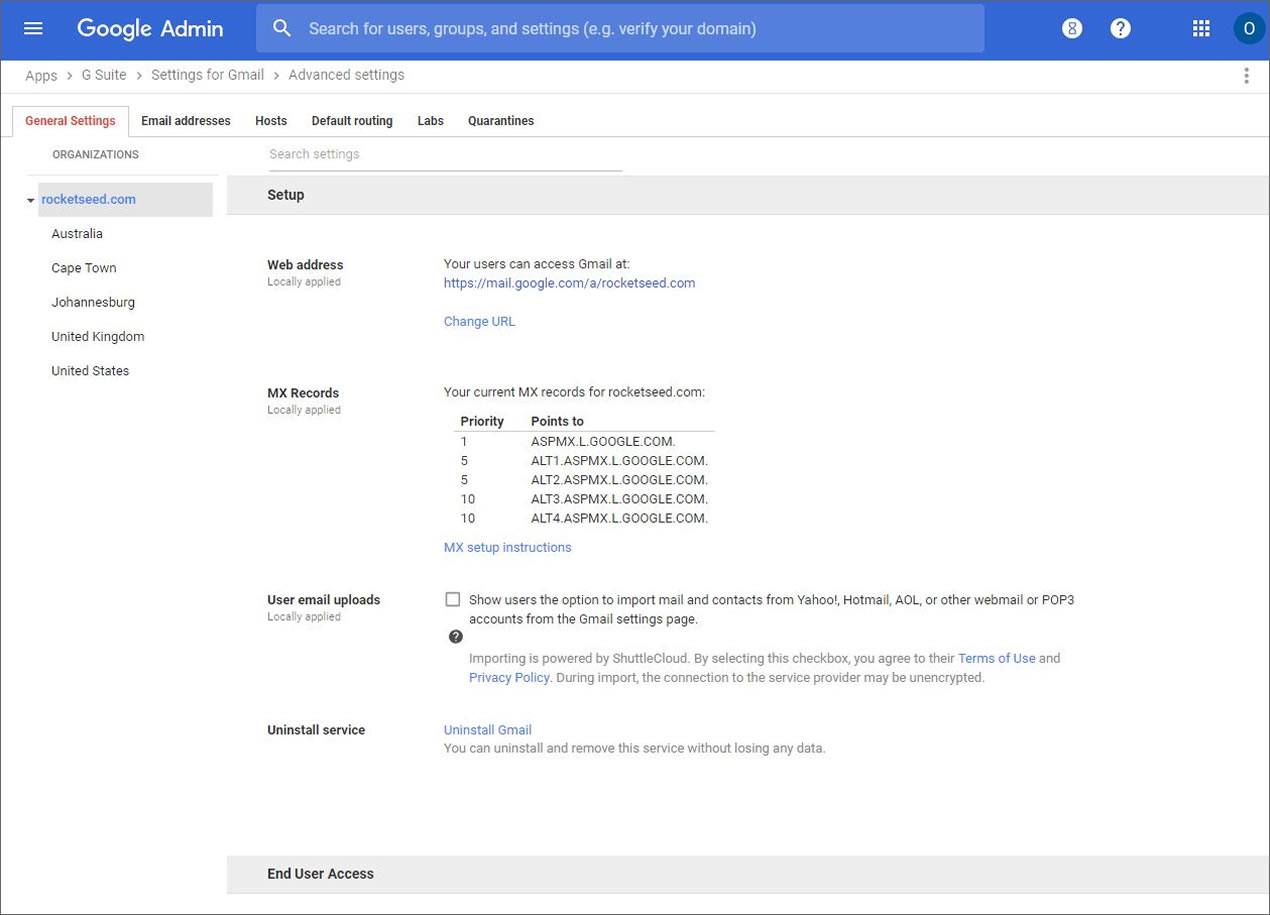
7. Click on general settings:

7 done


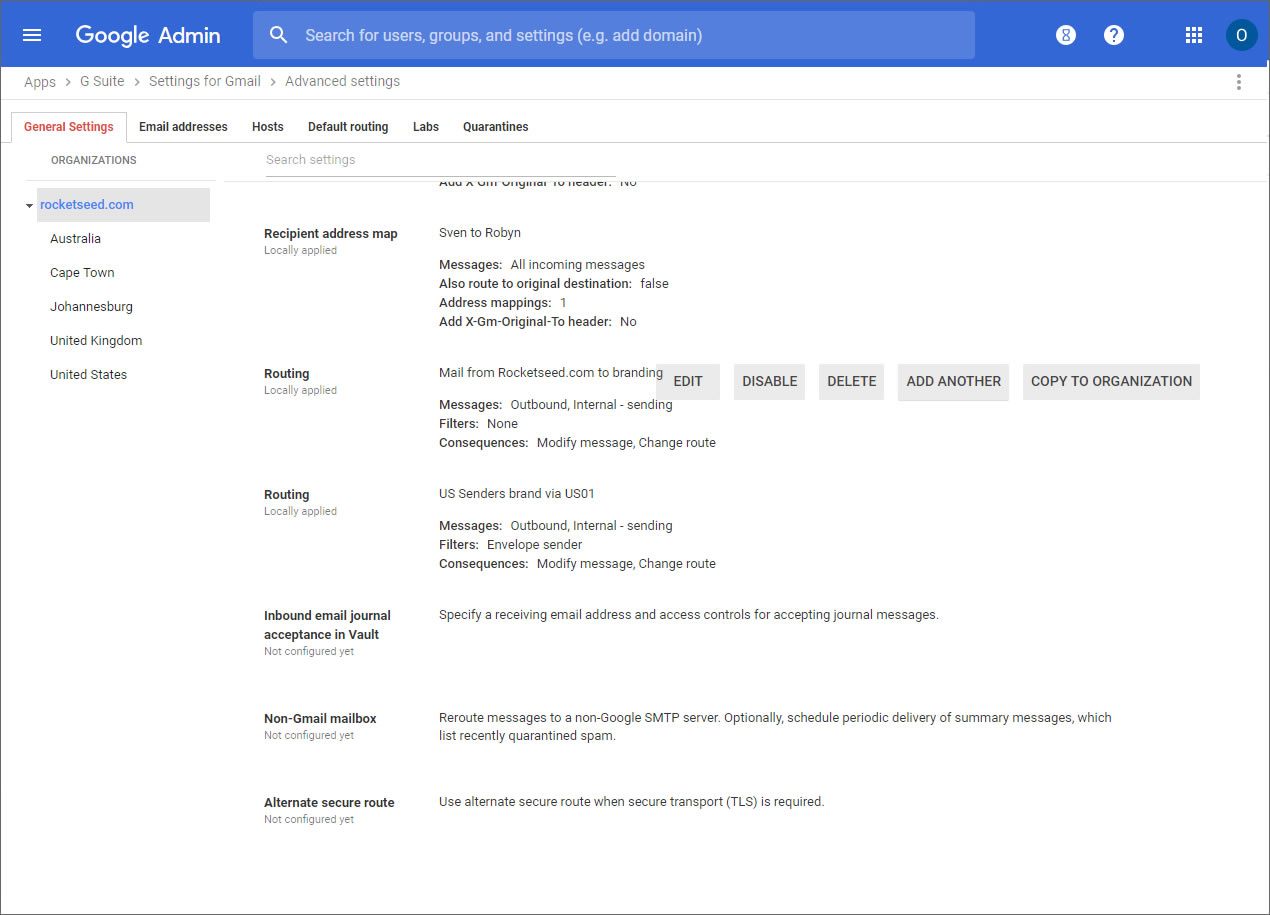
8. Scroll down to Routing and click on Add Another to add a new rule:
8 done


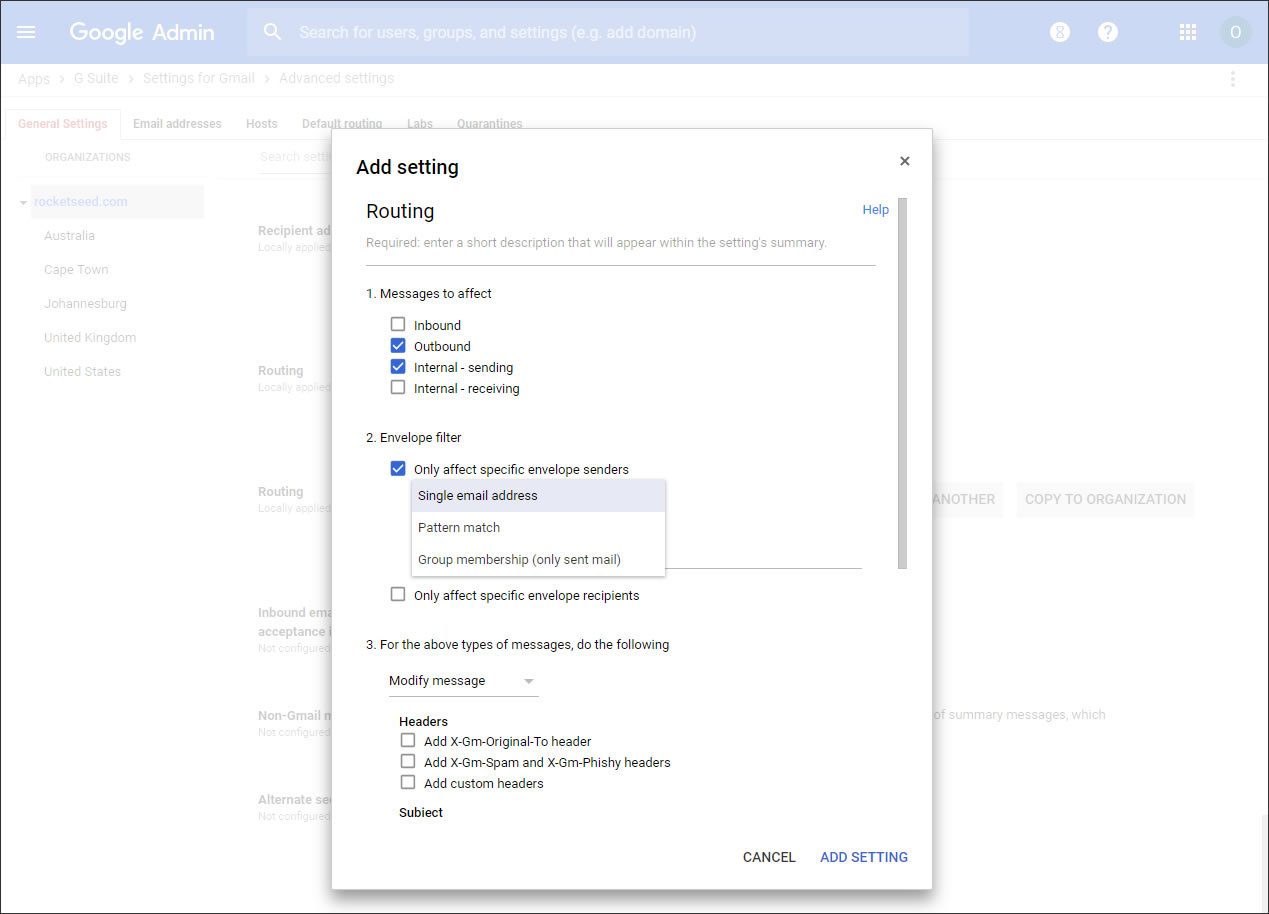
9. Choose Outbound and Internal Sending and then you can add individual sender addresses by clicking Only affect specific envelope senders
Or you can apply to specific groups or via a pattern match on usernames:
9 done


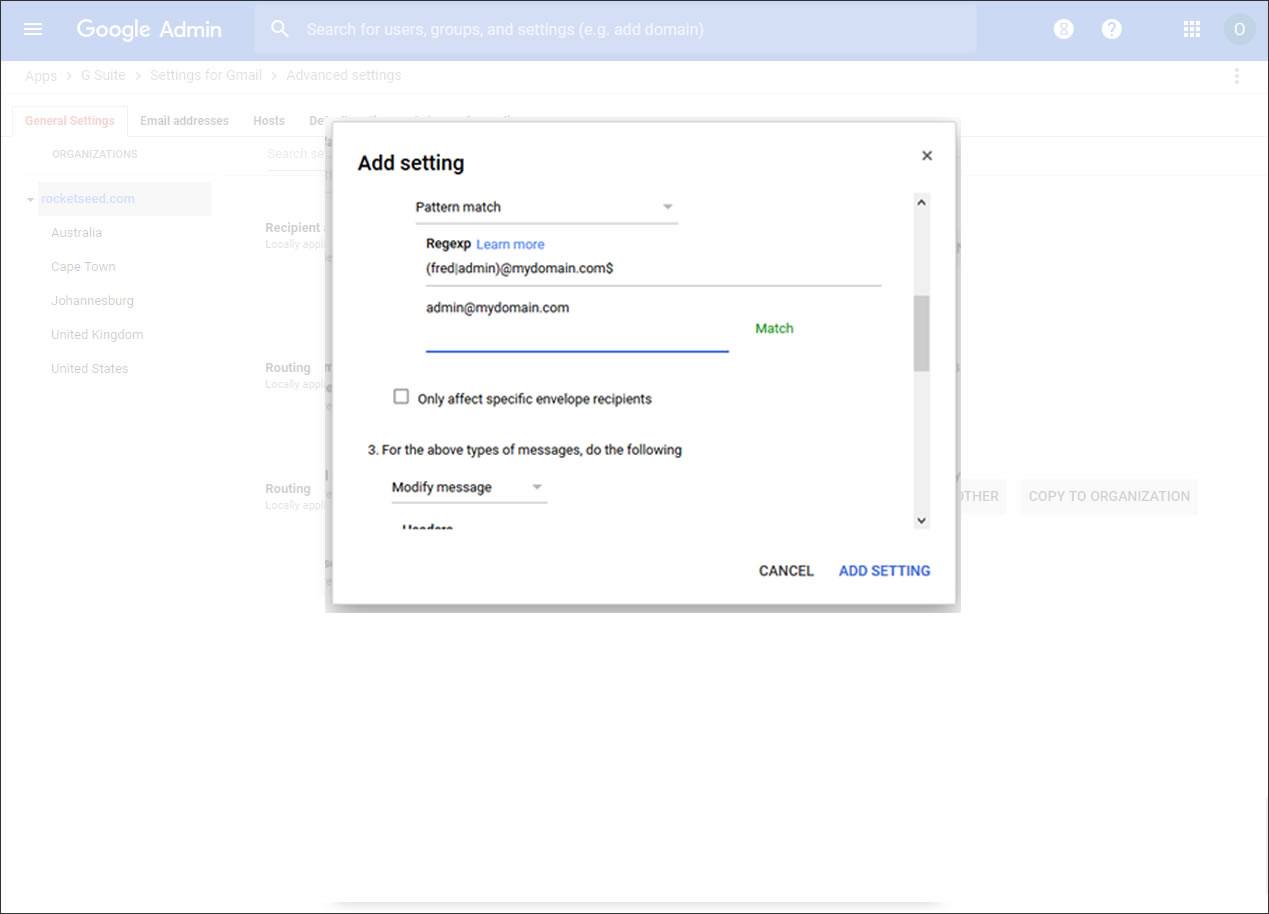
10. To pattern match several senders, select pattern match from the drop down list.
Go down to the bottom to create a regex for the users who you want to route through Rocketseed, for example the regex below will apply for fred@mydomain.com and admin@mydomain.com , Google enable you to test the regex at the same time before continuing and will say “match” if it works:

10 done


Click Save to finish.
Tweet
Share
Share
  • Customer Support
    • Email Signature Compatibility
      • Cloud
        • GSuite
        • Office 365
        • Salesforce
      • Microsoft
        • Exchange 2016
        • Disable Rich Text Format in Exchange
        • Outlook 2013
    • Apple
      • Apple Mail
      • Outlook 2016
    • Mobile Devices
      • iPhone
    • Ensuring Deliverability
      • Spam Triggers
      • Configure SPF
      • Configure DKIM
      • Configure Tracker Domains
    • FAQ
      • Business Card Placement
      • Mail Delivery Questions
      • Winmail.dat Attachments
  • FAQ’s
  • Quality Assurance Process
  • IT Testimonials
  • Technical Support
  • About
  • Pricing
  • Blog
  • Services
  • Industry Case Studies
  • Security
  • Contact

Offices

North America:
+1 609 843 0522
Show on map

Europe & Middle East:
+44 207 706 9520
Show on map

Africa:
+27 11 691 7740
Show on map

    About us

Charity & CSR
Partner Program
Refer and Earn
Newsletter Sign-up
Contact

Comparison

Rocketseed vs Exclaimer
Rocketseed vs Wise Stamp

    Security & compliance


ISO27001 icon depicting a sphere ISO 27001
HIPAA-Icon HIPAA Compliant
GDPR-icon depicting a lock surrounded by stars GDPR Compliant

    Book demo

Best Signature Design
Email Banner Examples
Email Design Guidelines

    Email signature generators

Office 365 Email Signature Management
G Suite Email Signature Management
Exchange Email Signature Management
Email Signature Banners Software

    Features

Email Signature Management
Email Signature Marketing
Analytics & Reporting
Security
Integrations & CRM
Support & Service

    Email solutions

Marketing Email Solutions
IT Email Solutions
Sales Email Solutions
HR Email Solutions
Customer Service Email Solutions
Legal Compliance Email Solutions
Rocketseed Case Studies

    Technical support

How It Works
Why Rocketseed?
Apple Email Software Configuration
Microsoft Email Software Configuration

Copyright © 2026 Rocketseed Ltd. All Rights Reserved. Privacy | Legal | Sitemap

Newsletter Sign Up